> This page is for Afterpay Online Developer, version Chinese.
> For other versions, use one of these documentation indexes:
> - Main (default): https://developers.afterpay.com/afterpay-online-developer/main/llms.txt
> - v1: https://developers.afterpay.com/afterpay-online-developer/v-1/llms.txt
> - Chinese: https://developers.afterpay.com/afterpay-online-developer/chinese/llms.txt
> For clean Markdown of any page, append .md to the page URL.
> For a complete documentation index, see https://developers.afterpay.com/llms.txt.
> For AI client integration (Claude Code, Cursor, etc.), connect to the MCP server at https://developers.afterpay.com/_mcp/server.
# 在任意位置启动 Afterpay 信息模态框
本页是一个简短的指南,介绍如何使用 JavaScript 使任何元素能够打开 Afterpay 信息模态框。
对于客户来说,这应该是一个单击操作;点击任何元素,Afterpay 信息模态框就会打开。
## 说明
请执行以下操作:
1. 使用 HTML 编辑器打开您现有的信息展示脚本。
2. 在 HTML 中加载 `square-marketplace.js` 脚本,请参见以下示例:
```html
```
3. 向任何元素添加 `data-afterpay-modal` 属性。当客户点击该元素时,它现在会打开 Afterpay 信息模态框。以下是当客户点击图标符号时打开的示例代码片段:
```html
Or 4 interest-free payments with
[Afterpay Logo] ⓘ
```
### 区域模态框主题
| 地区 | 接受的值 |
| ---- | ------------------------------ |
| 澳大利亚 | "en\_AU", "en\_AU-theme-white" |
| 加拿大 | "en\_CA", "en\_CA-theme-white" |
| 新西兰 | "en\_NZ", "en\_NZ-theme-white" |
例如:
`[Afterpay Logo] ⓘ`
生成适用于新西兰商户的模态框。
`[Afterpay Logo] ⓘ`
生成适用于澳大利亚商户的模态框。
请参见下面**可选 - 更改信息模态框主题**部分中的类似示例。
### 可选 - 更改信息模态框主题
这是一个针对想要使用非默认模态框主题的商户的选项。只有当您想使用非默认模态框主题时,才为 `data-afterpay-modal` 属性分配值。
> **警告**
>
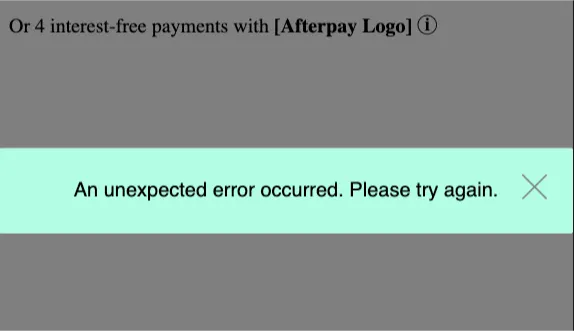
> 如果您尝试为 `data-afterpay-modal` 属性分配无效值,将会导致错误。对于标准 Afterpay 模态框主题,请将 `data-afterpay-modal` 属性保留为未分配值。
以下是默认模态框主题的代码示例:
```html
Or 4 interest-free payments with
[Afterpay Logo] ⓘ
```
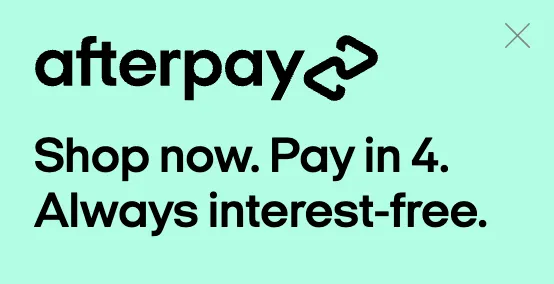
上面的代码示例生成标准的 Bondi Mint 模态框主题:
以下是非默认模态框主题的代码示例:
```html
Or 4 interest-free payments with
[Afterpay Logo] ⓘ
```
上面的代码示例在这一行中有额外的文本,定义了非默认主题:
`[Afterpay Logo] ⓘ`
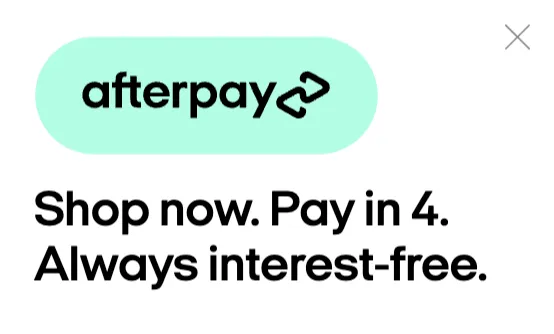
请记住,默认是 Bondi Mint 模态框主题。上面的代码示例生成一个非默认的标准白色模态框主题:
如果您为代码的 `data-afterpay-modal=` 部分分配了不正确的值,将会出现错误信息: